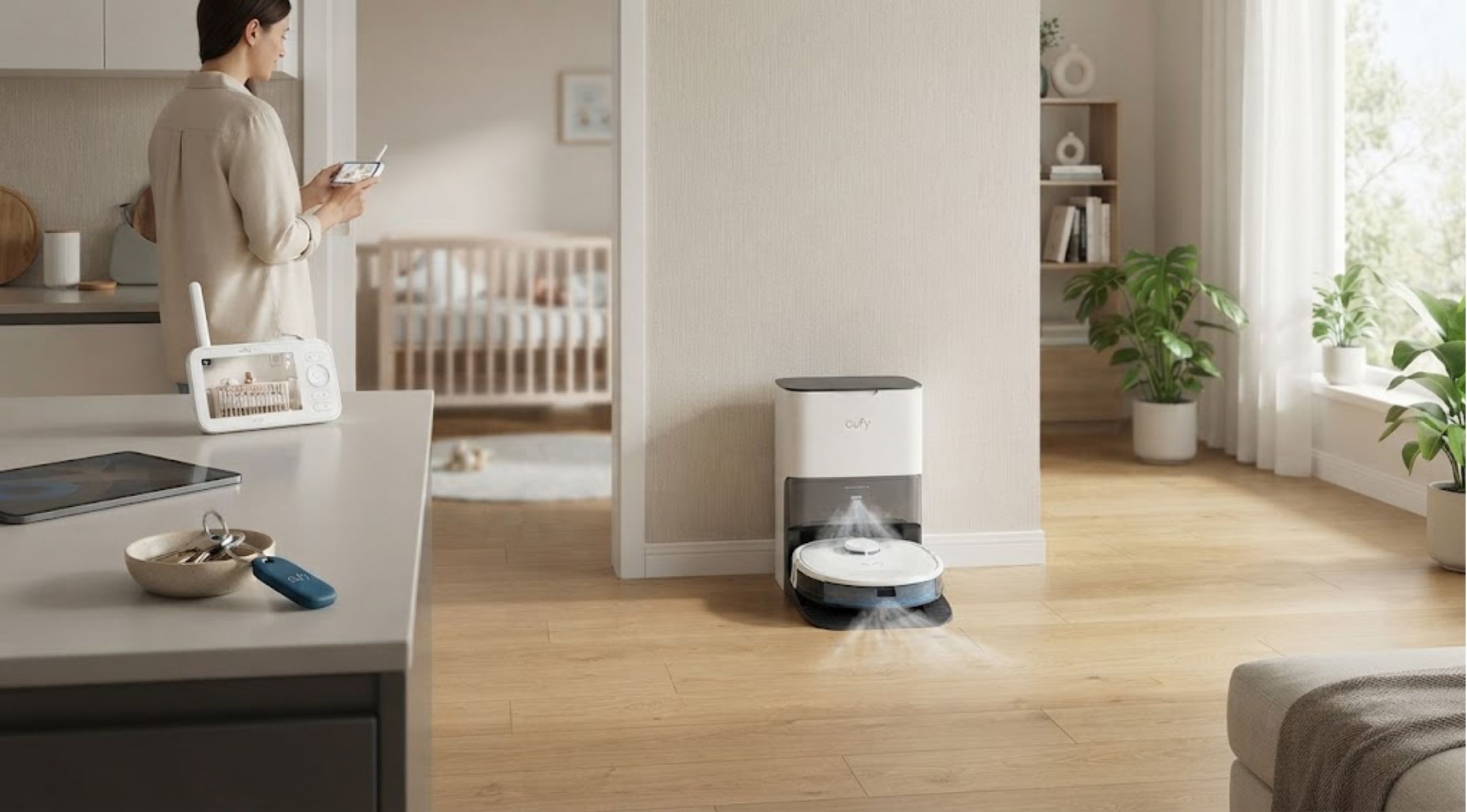
Smart home appliances can make daily activities easier, more organized, and keep your household smoothly connected. Selecting the right technology depends on the exact features you require for your space, lifestyle, and routines.
Comparing devices like the Eufy Baby Monitor C10, Eufy SmartTrack Link, and Eufy S1 requires evaluating core functionality, spatial constraints, setup needs, and daily maintenance. Eufy provides smart gadgets across key home categories, including child monitoring, item tracking, and automated floor care.
Smart Needs & Nursery Monitoring
How to Identify Your Smart Home Needs
First, identify the exact challenge you want smart technology to solve.
Parents often prioritize real-time monitoring and active alerts. Frequent travelers or busy individuals may prefer efficient item tracking, while households with busy routines benefit from hands-off cleaning. Evaluate your existing setup so any new device complements your everyday habits without adding setup complexity.
How to Choose the Eufy Baby Monitor C10
The Eufy Baby Monitor C10 provides clear video and reliable audio for keeping an eye on your nursery.
It offers a 2K HD camera with 4× zoom, wide pan-and-tilt functionality, and night vision. The system features smart AI detection for crying, motion, loud sounds, and room temperature changes. Additionally, it supports flexible hybrid monitoring via a dedicated 4.5-inch parent monitor with up to 12 hours of battery life, alongside optional Wi-Fi app access.
How to Plan Baby Monitor Placement
Proper camera placement ensures full room coverage while maintaining safe nursery standards:
- Mounting Location: Secure the camera on a stable wall or shelf according to manufacturer instructions to achieve an unobstructed crib view.
- Cord Safety: Keep all power cables and mounting hardware at least 3 feet away from your baby's sleeping space to eliminate tangling risks.
- Angle Testing: Test the camera's tilt and night-vision view on your monitor before routine use.
Personal Tracking & Floor Care
How to Choose the Eufy SmartTrack Link
The Eufy SmartTrack Link helps you keep continuous tabs on easily misplaced items like keys, luggage, wallets, or backpacks.
It integrates with Apple's Find My network as well as the Eufy Security app for versatile location tracking. The tracker features an audible alarm to locate misplaced items nearby, alongside left-behind alert notifications. Its compact design fits easily onto keyrings or inside luggage pockets using its integrated attachment loop.
How to Organize Your Belongings With a Tracker
Attach trackers to essential items that are costly or inconvenient to replace:
- Daily Carry Items: Secure the tracker directly to main keychains or daily work bags.
- App Familiarization: Practice triggering the audible ringer and checking map locations within the mobile app before traveling.
- Routine Habit: Pair smart tracking with dedicated home drop zones (like an entryway key bowl) for consistent organization.
How to Choose the Eufy S1
The Eufy S1 (and S1 Pro series) offers premium hands-free floor cleaning using advanced vacuuming and wet-mopping technology.
It utilizes the Always Clean Mop™ roller system that exerts 1 kg of downward pressure while continuously rinsing itself at 170 RPM. With up to 8,000 Pa suction power, it handles deep debris on hard floors and carpets. The automated UniClean Station handles dust auto-emptying, mop washing, heated air drying, clean water refilling, and wastewater collection. Advanced LiDAR navigation and 3D MatrixEye / AI.See obstacle avoidance allow it to navigate seamlessly around household objects.
How to Prepare Your Home for Smart Cleaning
Prepare your floor plan to optimize the S1's automated cleaning runs:
- Clear Floor Hazards: Tuck away loose charging cables, small toys, and hanging curtain cords.
- Dock Station Clearance: Place the UniClean dock on a flat surface against a wall, allowing clear open space on both sides for seamless docking and water refilling.
- Carpet Care Setup: Set up your app map for carpet zones; the S1 automatically lifts its mop roller up to 12 mm when transitioning onto carpets to keep them dry.
Feature Comparisons & Appliance Maintenance
How to Compare Smart Device Features
Focus on practical everyday features rather than endless technical specifications:
|
Feature Category |
Eufy Baby Monitor C10 |
Eufy SmartTrack Link |
Eufy S1 Robot Vacuum |
|
Primary Function |
Nursery Video & Audio Monitoring |
Bluetooth & GPS Item Tracking |
Automated Vacuuming & Mopping |
|
Key Advantage |
Hybrid Local Feed & Crying Alerts |
Apple Find My Integration & Loud Ringer |
HydroJet Scrubbing & All-in-One Base |
|
Maintenance Need |
Lens Cleaning & Monitor Charging |
Periodic CR2032 Battery Replacement |
Station Tank Refills & Filter Cleaning |
How to Maintain Your Eufy Devices
- Baby Monitor: Clean the camera lens with a microfiber cloth and update device firmware regularly via the app.
- Trackers: Check battery status periodically inside the mobile app to ensure continuous tracking.
- Robot Vacuum: Wipe down optical sensors, rinse washable filter elements, clean the main rolling brush, and empty dirty water tanks as prompted by the dock station.
Conclusion
How to Choose the Right Eufy Device
The ideal Eufy setup directly matches your household's daily priorities. The Eufy Baby Monitor C10 delivers peace of mind for parents needing dependable nursery alerts. The Eufy SmartTrack Link eliminates time spent searching for misplaced items. For hands-off home maintenance, the Eufy S1 handles automated vacuuming and floor washing efficiently. Evaluating space layout, mounting needs, and maintenance routines ensures you get the most out of your smart home investment.